

Writing a good proposal is only half the job. How you send it shapes whether it gets read and signed. Here is how to send a proposal so it lands well.
You have written a strong proposal. Now comes the part that quietly decides whether it gets read: how you send it. The format you choose, the message you attach, and the timing all shape the client's first impression and how easy it is for them to say yes.
Propelio is proposal software used by freelancers and small agencies to write, send, and get proposals signed in one place, so we see what happens after the send button as much as before it. This guide covers how to send a proposal to a client so it lands well, gets read, and moves towards a signature.
Choose the right format first
How you send a proposal matters as much as what is in it. The format sets the tone before the client reads a word.
A web link is the modern standard. A proposal sent as a link opens instantly on any device, looks the same for everyone, and lets the client read on their phone without pinching and zooming. You can also see when it has been opened, which is invaluable for timing your follow-up.
A PDF attachment is the fallback. PDFs feel familiar, but they create friction. They render differently across email clients, often break on mobile, and turn signing into a print-sign-scan ordeal. They also give you no signal about whether the client has looked at it.
If you have the choice, send a link. A client who can read, choose a pricing option, and sign in the browser is a client far more likely to act whilst your work is fresh in their mind.
We have written about why the format matters in more depth. See why PDF proposals are losing you business.
Write the message that carries the proposal
The email or message you send with the proposal is not a throwaway. It frames how the client approaches the document.
Keep it short, warm, and specific. A good covering message does four things:
- References your conversation. A line that shows you listened ("following on from our call about the rebrand") signals this is tailored, not a template blast.
- Says what the proposal contains. A sentence on what is inside helps the client know what they are opening.
- Makes the next step obvious. Tell them they can read, choose an option, and sign directly in the document.
- Sets a gentle timeframe. A soft deadline ("happy to talk it through this week") creates momentum without pressure.
Avoid dumping the whole pitch into the email. The proposal does the selling. The message just opens the door.
A simple structure you can reuse
You do not need to write the covering message from scratch each time. A short, adaptable structure works:
Hi [name],
Thanks again for talking through [project] with me. I have put together a proposal that covers the scope, timeline, and pricing we discussed.
You can read it at the link below. There are a couple of options to choose from, and you can approve it straight from the page when you are ready.
Happy to jump on a quick call if anything needs clarifying. I will check back towards the end of the week.
Adjust the detail for each client, but keep the shape. It is friendly, it points to the proposal, and it makes saying yes feel like one easy step.
Time the send for when it will be read
A proposal sent at 6pm on a Friday sinks to the bottom of the inbox by Monday. Timing affects whether your proposal is read whilst the conversation is still warm.
Aim to send mid-morning on a weekday, ideally within a day or two of your last conversation. The longer the gap between the conversation and the proposal, the more the client's enthusiasm cools and the more they forget the detail you discussed. Speed signals that you are organised and keen, which is exactly the impression you want to leave.
If you have promised a proposal "by the end of the week", send it earlier than expected. Beating your own deadline is a small thing that builds trust.
Track it, then follow up
Once a proposal is sent, the worst thing you can do is wait in silence and assume no news is bad news. Most proposals are not rejected. They are forgotten in a busy inbox.
If you sent a link, you can see when the client opened it. That tells you exactly when to follow up: a day or two after they have looked, whilst it is on their mind. If you sent a PDF, you are following up blind, which is another reason to prefer a link.
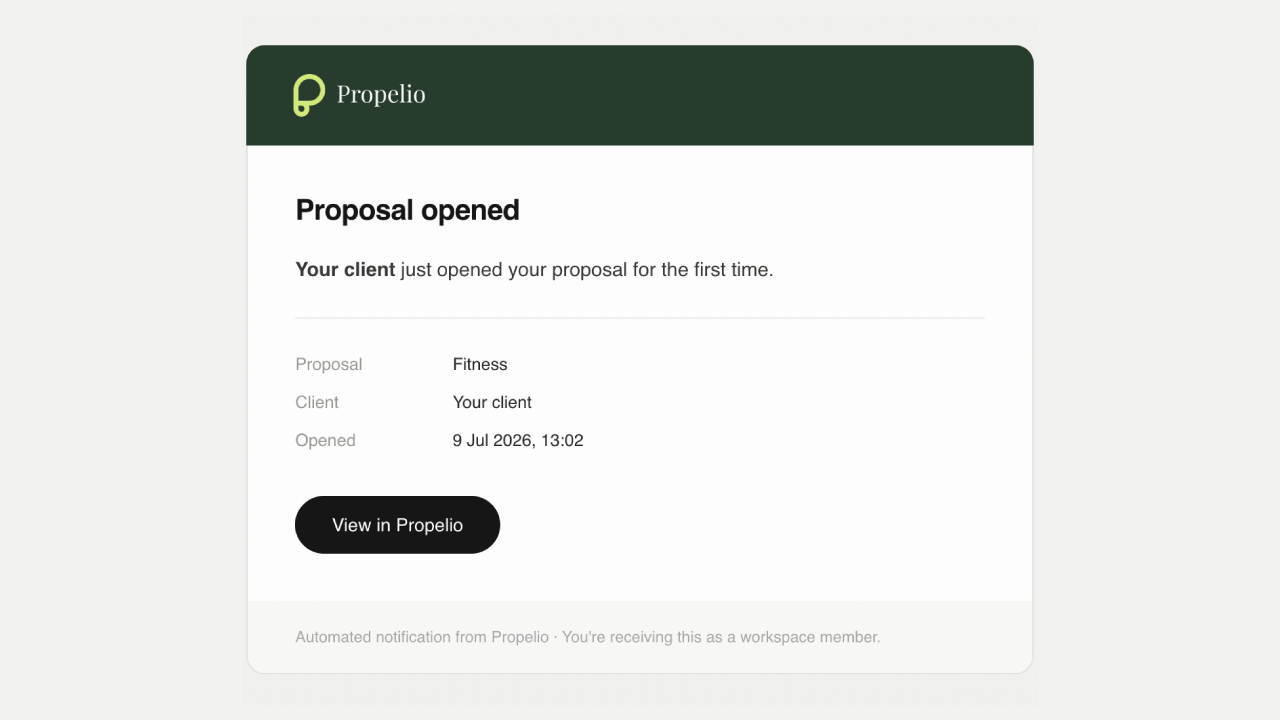
Propelio tells you the moment a proposal is opened, so you follow up at the right time rather than guessing.
A short, friendly follow-up three to five days after sending is normal and expected, not pushy. The aim is to be helpful, not to chase.
Getting the follow-up wrong undoes the good work of the proposal. See our proposal follow-up email template for wording that helps rather than nags.
Make it easy to send well, every time
If sending a proposal involves exporting a file, attaching it, and hoping it renders, the process works against you. Proposal software that sends a tracked, signable link removes the friction on both sides.
Propelio's proposal software for freelancers lets you send a proposal as a link, see when it is opened, and collect a signature in the browser. If you want a starting point for the proposal itself, browse the templates and adapt one to your client.
Frequently asked questions
Should I send a proposal as a PDF or a link? A link, where possible. It opens on any device, looks the same for every recipient, lets the client sign without printing, and tells you when it has been read. A PDF gives you none of that and often breaks on mobile.
What should I write in the email when sending a proposal? Keep it short. Reference your conversation, say briefly what the proposal covers, point the client to read and approve it, and offer to talk it through. Let the proposal carry the detail, not the email.
How soon after a meeting should I send the proposal? Within a day or two, ideally. The sooner it lands, the warmer the client's interest and the sharper their memory of what you discussed. Sending quickly also signals that you are organised and serious.
How do I know if a client has read my proposal? If you send it as a link through proposal software, you get a notification when it is opened, and often which sections held their attention. A PDF attachment gives you no visibility, which is why links are worth the switch.
What if the client does not respond after I send it? Follow up after three to five days with a short, friendly message. Silence almost always means the client is busy, not uninterested. A gentle nudge whilst the proposal is still fresh is expected and often all it takes.
The bottom line
Sending a proposal is not an afterthought to writing one. The format, the message, and the timing decide whether your work gets the attention it deserves.
Send a link rather than an attachment, attach a short message that points the client to the document, send it whilst the conversation is warm, and follow up once you can see it has been read. Do that and far fewer of your proposals will go quiet.
When you want sending to be as polished as the proposal itself, browse the templates or start a free workspace.


